
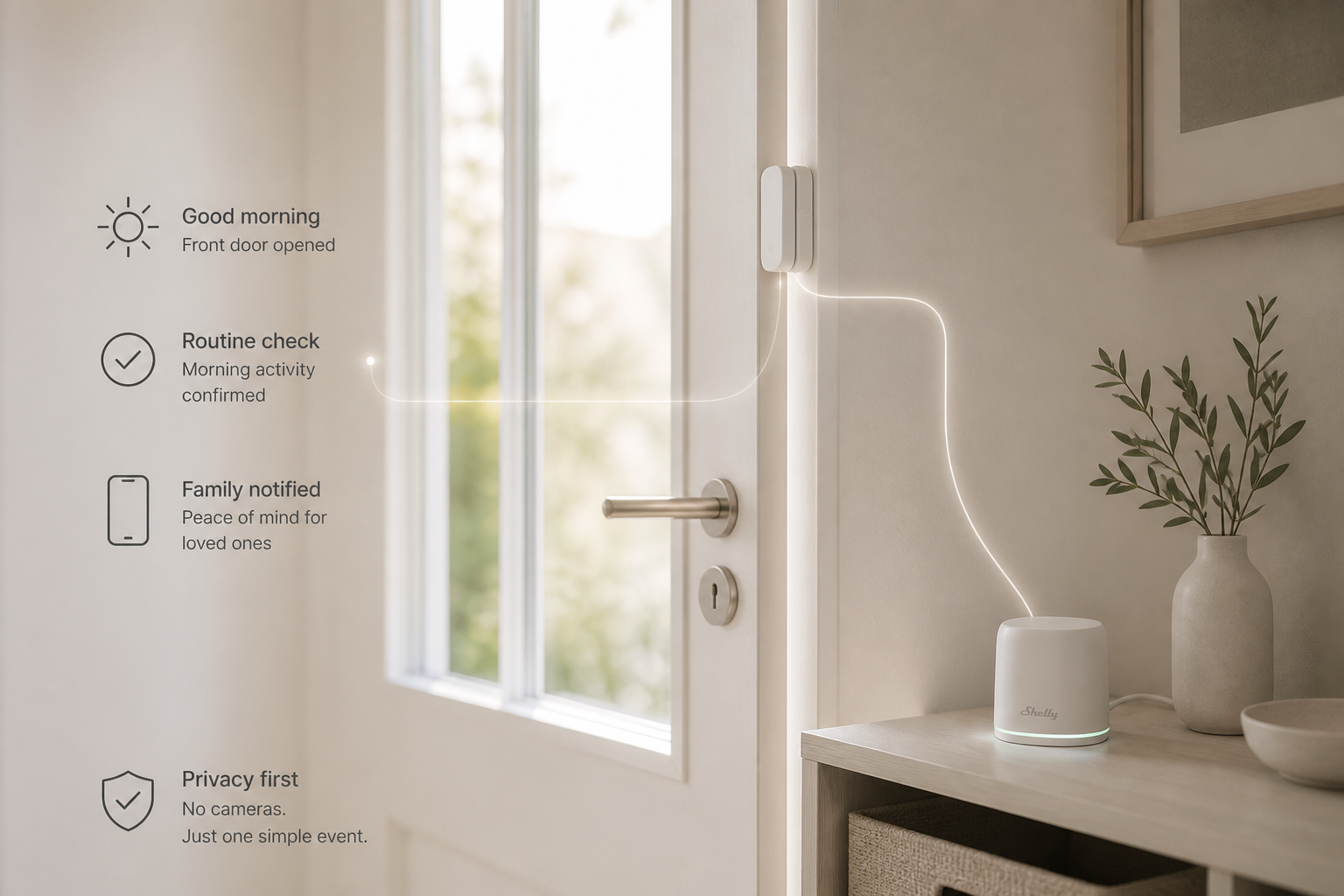
Family checking in on an elderly relative living alone often just want one quiet answer: did they get up today? A Shelly BLU Door/Window sensor on a door opened every morning — paired with a Virtual Boolean check at a set time — sends a notification only when that routine action didn't happen, with no camera and no daily phone call.
Overview
Family members of an elderly person living alone often just want to know one simple thing: "did they get up this morning?" — without cameras, without calling every day. The solution: a Shelly BLU Door/Window sensor on a door that's opened out of habit every morning (bedroom, kitchen, medicine cabinet). If the door hasn't opened by a set time, a family member gets a push notification. The device doesn't monitor the person continuously — it just registers one routine action.
Prerequisites
-
Shelly BLU Door/Window sensor (battery-powered, Bluetooth)
-
A Gen3/Pro Shelly device already on Wi-Fi in the home — acts as the BLE gateway and hosts the Virtual Boolean component
-
Shelly Smart Control app, with a family member added as a user of the home (to receive notifications)
Steps
-
Mount the sensor — on a door that's reliably opened every morning (bedroom/kitchen), not one used rarely.
-
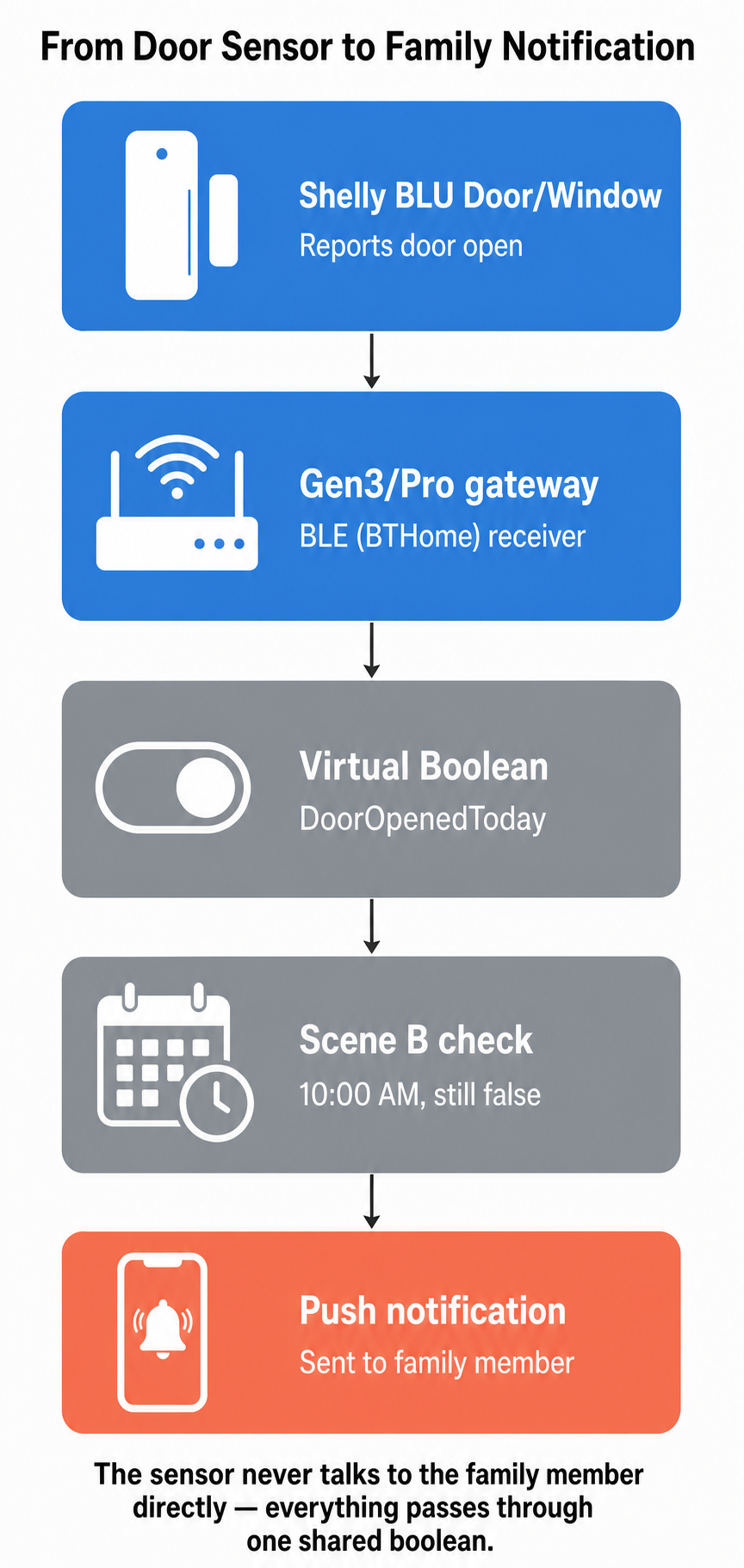
Pair the sensor — through the Gen3/Pro device as a BLE (BTHome) device, the same process as with the BLU Button/H&T.
-
Create a Virtual Boolean component on the gateway device — e.g. "DoorOpenedToday", default value false.
-
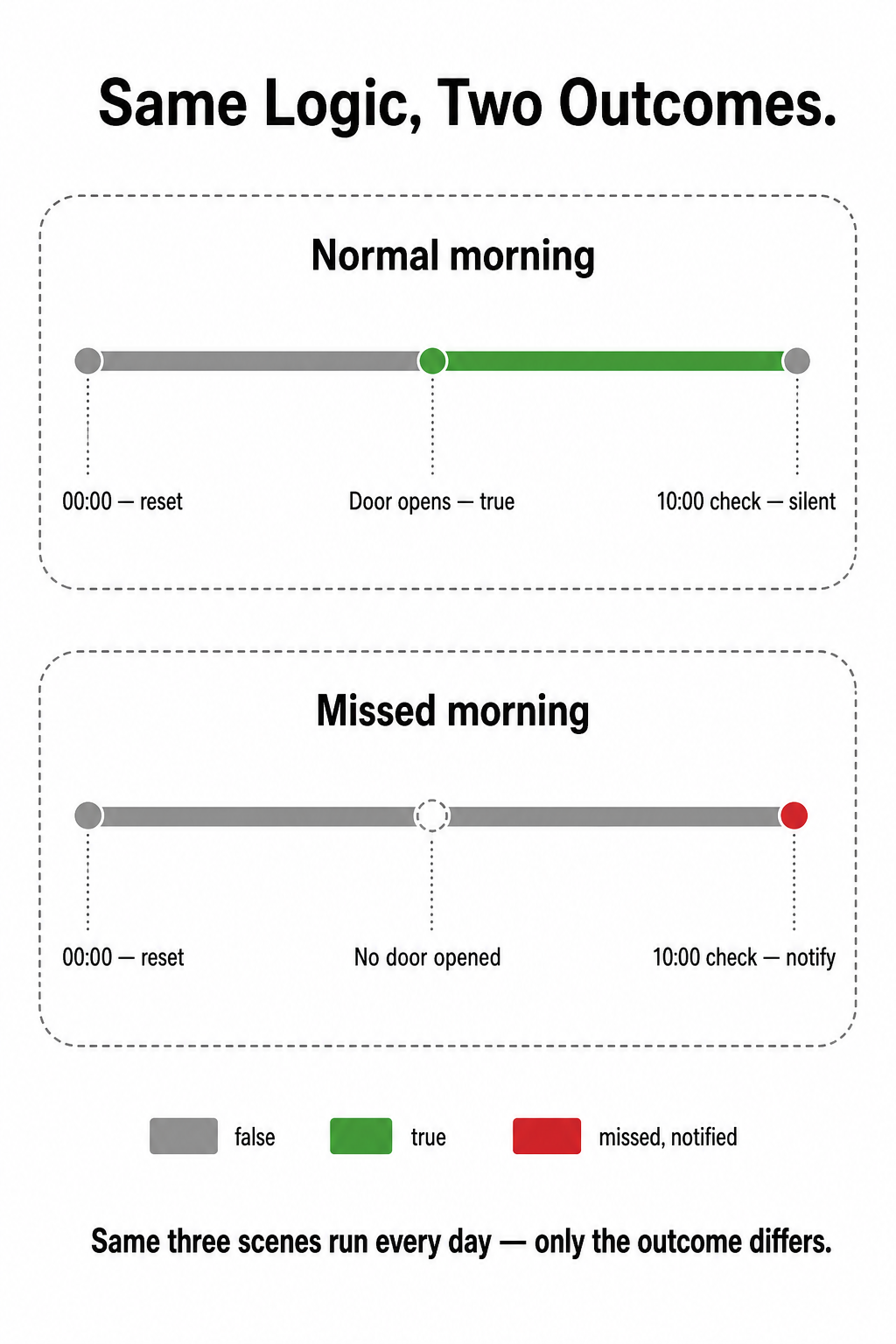
Scene A ("door opened") — When: the sensor reports an opening → Do: set "DoorOpenedToday" = true.
-
Scene B ("check") — When: time = 10:00 AM AND "DoorOpenedToday" = false → Do: send a push notification to the family member ("No activity detected this morning").
-
Scene C ("reset") — When: time = 00:00 → Do: set "DoorOpenedToday" = false, ready for the next day.
-
Add the family member as a notification recipient in the home's settings in the app.
Troubleshooting
-
An alert arrives even though the door was opened → check that the sensor is within range of the gateway device and that the magnet is aligned closely with the sensor.
-
No alert on a test morning → check that the family member is added as a notification recipient and has notifications enabled for the app on their phone.
-
The check runs at the wrong time → check the time zone set on the gateway device.
Tips
-
This is a peace-of-mind indicator, not a medical alarm — false alerts are possible (a different door, a guest, an early departure). It does not replace a real emergency system.
-
Choose a door/action that is genuinely daily and predictable.
-
Test it for a few days before relying on the notifications fully.
-
Keep an eye on the sensor's battery level — easy to overlook in an elderly person's household.
Devices Used
Shelly BLU Door/Window, Shelly Gen3/Pro device (gateway + Virtual Boolean)
Documentation & References
Why It's Worth It
No cameras and no daily "how are you" calls — the family is alerted only when the usual morning routine didn't happen.
Conclusion
Each morning the home confirms on its own that the day started as usual. The family hears from it only when something is different, and can then call or check in.
---
vertical: elderly
concept: morning-check-in
complexity: advanced
devices: [Shelly BLU Door/Window, Shelly Gen3/Pro device (gateway)]
---