
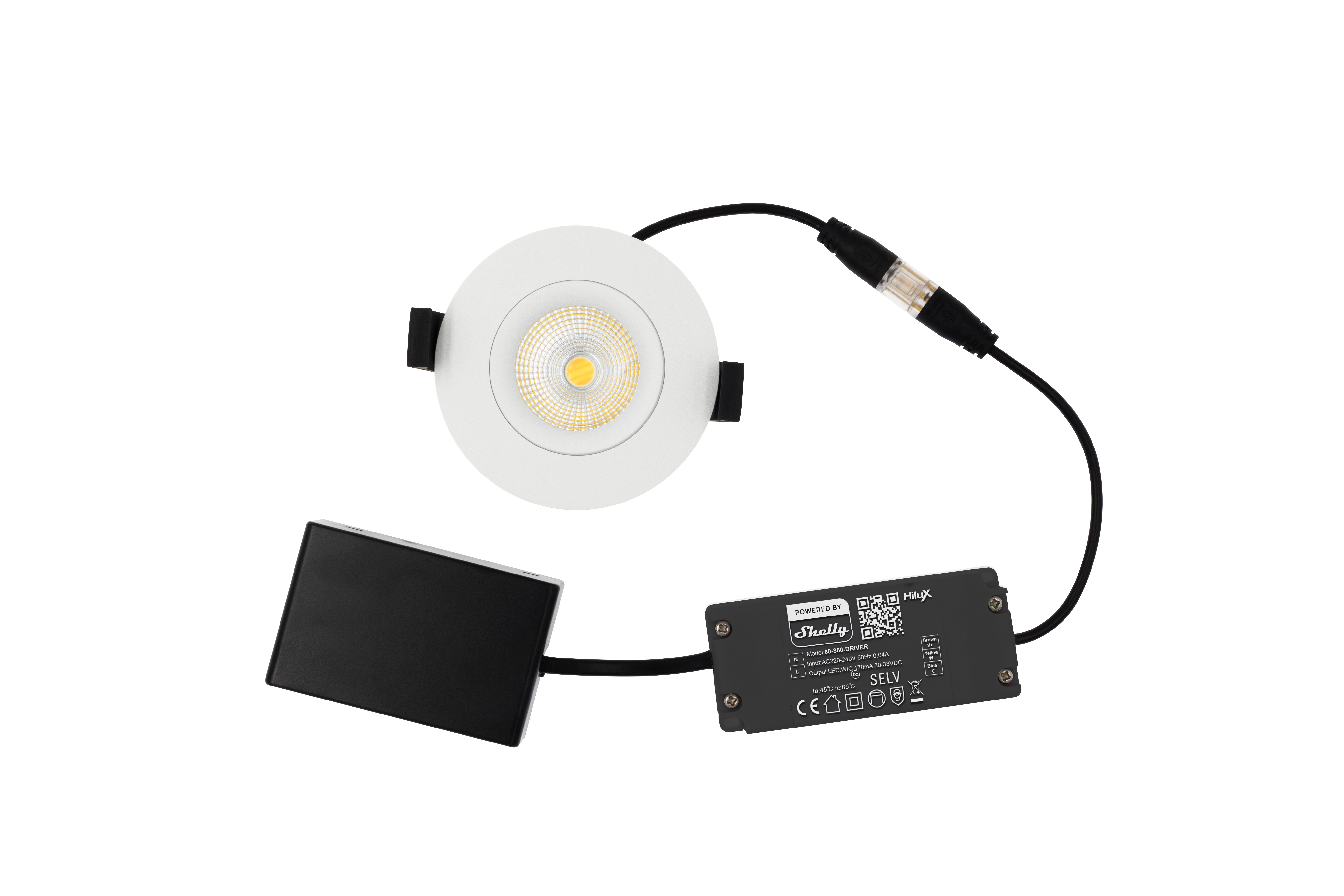
Device identification
Device type: Tilt downlight
Device model: HiluX DS8
Main features
-
Tunable color temperature: 2200 K to 6000 K
-
Accurate color representation with high CRI: Ra ≥95
-
Optimal brightness: 600 lm @6000 K; 360 lm @2200 K
-
Versatile 360° tilt design
-
IP44 rated & certified for installation with Class III Insulation
-
Wi-Fi & Bluetooth connectivity
-
Fully Compatible with Shelly BLU devices
Integrations
-
Homey
Connectivity
-
Wi-Fi
-
Bluetooth
Specifications
|
Specification |
Value |
|---|---|
|
Device type |
LED Downlight |
|
Model name |
HiluX DS8 |
|
SKU (White) |
80-860-white |
|
SKU (Black) |
80-860-black |
|
Voltage |
220-240 V |
|
Wattage |
8 W LED |
|
Color Temperature (CCT) |
2200 K – 6000 K (Tunable) |
|
Lumen Output |
600 lm @ 6000K / 360 lm @ 2200K |
|
Output Current |
170 mA |
|
Output Voltage |
30 V - 38 V |
|
Beam Angle |
40° |
|
Color Rendering Index (CRI) |
Ra ≥ 95 (High CRI) |
|
IP Rating |
IP44 |
|
Working Temperature |
-20°C … +40°C |
|
Power Factor (PF) |
>0.9 |
|
Dimmable |
0% - 100% |
|
Insulation Class |
Class III |
|
Lifetime |
50,000 hours |
|
Diameter |
Ø90 mm |
|
Recessed Height |
39 mm |
|
Cut Out |
Ø68 mm – 83 mm |
|
Material |
Die-cast aluminum |
|
Color Options |
Black / White |
|
Connectivity |
Works with Wi-Fi and Bluetooth |
|
EAN (White) |
5714255011227 |
|
EAN (Black) |
5714255011234 |
Pairing with a Shelly BLU remote
Pairing a single luminaire with a Shelly BLU remote
-
Power off the luminaire.
-
Put the remote into pairing mode as described in its user manual.
-
Power on the luminaire.
-
Wait until the luminaire blinks three times.
-
Press the first button on the remote. The luminaire will blink four times, confirming successful pairing.
Pairing multiple luminaires with one remote
Repeat the steps above for each luminaire you want to pair.
Note: During pairing, only the luminaire you are pairing should be powered on. If a previously paired luminaire is powered on while pairing another one, it will become unpaired.
Controlling luminaires with the remote
-
Short press the first button to turn the luminaire on, and long press to increase the brightness.
-
Short press the second button to turn the luminaire off, and long press to decrease the brightness.
Shelly Smart Control
Adding the device to Shelly Smart Control
Shelly web user interface
Disposal and recycling
Do not dispose of the product in household waste. Recycle the product to prevent environmental and health damage and to promote resource conservation. Dispose of the product at an appropriate waste collection point at your own responsibility.
Resellers, from which the Device was purchased, are required to accept Waste Electrical and Electronic Equipment (WEEE) free of charge for proper disposal.
Some electronic products may store personal data. The user is responsible for deleting this data before disposing of the Device. For deletion, reset the device to its factory settings.
Printed user guide
Compliance
Environmental Product Declaration
HiluX_DS8_EPD_Reference_Sheet.pdf
Manufacturer
Light Solutions ApS
Address: Michael Drewsens Vej 12, DK-8270 Højbjerg, DENMARK
Email: kontakt@lightsolutions.dk
Website: https://www.lightsolutions.dk