
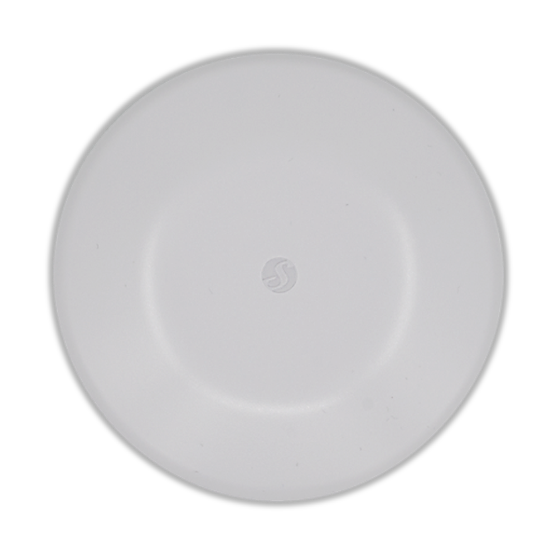
Device identification
-
Device name: Shelly Flood S Gen4
-
Device model: S4SN-0071Z
-
Device SSID: ShellyFloodSG4-XXXXXXXXXXXX
-
BLE Model ID: 0x1826
Short description
Shelly Flood S Gen4 is a compact, battery-powered water-leak sensor designed to catch leaks early and help prevent costly damage. Its unique large-surface stainless-steel pads are built for fast, reliable detection, even with clean or low-conductivity water.
Place it where leaks are most likely - under appliances, near plumbing, or in hard-to-reach corners - thanks to its low-profile design. Choose between Flood and Rain modes, and pick one of the three alarm profiles (Intense, Normal, or Economic) to match the space and your preferences, with a built-in buzzer for on-the-spot alerts.
It connects via Wi‑Fi 6, Bluetooth 5 LE, and Zigbee 3.0, and supports Matter-over-Wi‑Fi for modern smart-home setups. It integrates with Shelly Cloud, Home Assistant, and other popular platforms, making it easy to turn a detected leak into an immediate automation or notification.
Main features
-
Large-surface stainless-steel pads for fast, reliable water detection, including clean or low-conductivity water
-
Flood and Rain operating modes to match different detection scenarios
-
Three selectable alarm profiles: Intense, Normal, and Economic
-
Built-in buzzer for local audible alerts
-
IP67 protection for demanding environments
-
Powered by a CR123A battery (included) with up to 2 years of battery life
-
Connectivity via Wi‑Fi 6, Bluetooth 5 LE, and Zigbee 3.0
-
Matter-over-Wi‑Fi support for streamlined smart-home connectivity
-
Local automation actions for independent operation
-
Integrates with Shelly Cloud, Home Assistant, and other popular platforms
Use cases
-
Immediate Flood Detection
Receive instant alerts in kitchens, bathrooms, or laundry rooms to act before damage spreads. -
Under-Appliance Leaks
Slide the low-profile sensor under washers, dishwashers, or refrigerators to catch leaks at the source. -
Under-Sink & Valve Drips
Place it flat beneath P-traps, shutoff valves, or filters to catch slow drips early. -
Toilet & Base Seal Failures
Position beside or behind toilets to detect leaks from supply lines, tanks, or wax-ring failures. -
Water Heater / Boiler Pans
Set it inside a drip pan for immediate notification if the pan fills or overflows. -
Automatic Water Shutoff
Pair with a smart water valve to automatically cut water when a leak is detected, preventing further damage. -
Rain Automations
Place it outdoors, enable Rain Detection (state change, no flood alarm), and trigger scenes - pause irrigation, deploy awnings, or close skylights/windows.
Main applications
-
Residential
-
MDU (Multi Dwelling Units - apartments, condominiums, hotels, etc.)…
-
Light commercial (small office buildings, small retail/restaurant/gas station, etc.)…
-
Government/municipal
-
University/college
-
Farming
Integrations
Amazon Alexa supported capabilities
-
Contact Sensor
Google Smart Home supported traits
-
Sensor State
Samsung SmartThings supported capabilities
-
Battery
-
Water Sensor
Connectivity
-
Wi-Fi
-
Bluetooth
-
Zigbee
User interface
Inputs
-
Button:
-
Press 1 time: Wakes up the device for 3 minutes. The LED turns on and initiates a state report.
-
Press 1 time: Reports status of the Flood component.
-
Press 2 times rapidly: Sends the device to sleep.
-
Press 3 times rapidly: Puts the device in Zigbee inclusion mode. It stays in this mode for 3 minutes and you can find it in the Home Automation platform through the Zigbee Hub.
-
Press 5 times rapidly: Switch the Device from Matter firmware (default) to Zigbee, or back.
-
Press and hold for 5 seconds: Network reset. The LED flashes slowly. If no action is taken within 3 minutes, the device retains its existing settings.
-
Press and hold for 10 seconds: Resets the device to factory settings.
-
-
Outputs
-
Buzzer
-
Long beep (3.5 sec ON / 1.5 sec OFF): Indicates flood detection.
-
Short beep (0.3 sec ON / 5 sec OFF): Indicates low battery when the battery level is below 20%. The low battery alarm will not sound during a flood event (unless the flood alarm is muted via the LED button) or when Economic mode is selected.
-
-
LED Indication:
-
Blue light: AP mode is enabled.
-
Red light: STA mode is active, but the device is not connected to a Wi-Fi network.
-
Yellow light: STA mode is active, and the device is connected to a Wi-Fi network but not connected to the Shelly Cloud, or the Shelly Cloud is disabled.
-
Green light: STA mode is active, and the device is connected to both a Wi-Fi network and the Shelly Cloud.
-
Flashing Purple light: device is in Zigbee commissioning mode.
-
Flashing Red/Blue light: OTA update is in progress.
-
Flashing Yellow light: Device is in identification mode, signaling its presence for user identification.
-
Alarm Modes
-
Flood Detection Mode - detects a state change and, if water is present, triggers an immediate alarm to alert you of potential flooding.
-
Rain Detection Mode - detects a state change when water is present but does not trigger an alarm, ideal for non-critical scenarios like rain detection.
|
Mode |
Alarm Mode |
Report State Frequency* |
Buzzer** |
Buzzer Mute Conditions |
Use Case |
|---|---|---|---|---|---|
|
Flood |
Intense |
|
|
|
Protect extremely valuable assets:
|
|
Normal (Default) |
|
Normal use |
|||
|
Economic |
Disabled |
N/A |
Activate when you won’t visit for a while:
|
||
|
Rain |
- |
Automating outdoor areas, such as controlling motorized awning or sprinklers.
|
*Continue reporting until successful, then sleep. Report again upon flood state change. If multiple reporting channels are configured, success on any channel will be considered a successful report.
**Buzzer pattern: 3.5 sec ON / 1.5 sec OFF
Specifications
|
Quantity |
Value |
|---|---|
|
Physical |
|
|
Size (HxD): |
23x77 mm / 0.91x3.03 inch |
|
Weight: |
|
|
Mounting: |
|
|
Shell material: |
Plastic |
|
Shell color: |
White |
|
Environmental |
|
|
Ambient working temperature: |
-20°C to 40°C / -5°F to 105°F |
|
Humidity: |
30% to 100% RH |
|
Max. altitude: |
2000 m / 6562 ft |
|
Electrical |
|
|
Power supply: |
Battery |
|
Battery type: |
1 x CR123A (included) |
|
Estimated battery life: |
approx. 2 years (depending on batteries used, device usage, and network connection strength) |
|
Sensors, meters |
|
|
Water Detection: |
Yes |
|
Radio |
|
|
Wi-Fi |
|
|
Protocol: |
802.11 b/g/n/ax |
|
RF band: |
2401 - 2483 МHz |
|
Max. RF power: |
< 20 dBm |
|
Range: |
Up to 30 m / 100 ft indoors and 50 m / 160 ft outdoors
|
|
Bluetooth |
|
|
Protocol: |
5 (LE) |
|
RF band: |
2402 - 2480 MHz |
|
Max. RF power: |
< 20 dBm |
|
Range: |
Up to 10 m / 33 ft indoors and 30 m / 100 ft outdoors
|
|
Zigbee |
|
|
Protocols: |
802.15.4 |
|
RF bands: |
2405 to 2480 MHz |
|
Max. RF power: |
< 20 dBm |
|
Range: |
Up to 100 m / 328 ft indoors and 300 meters / 984 ft outdoors
|
|
Microcontroller unit |
|
|
CPU: |
ESP-Shelly-C68F |
|
Flash: |
8 MB |
|
Firmware capabilities |
|
|
Schedules: |
No |
|
Webhooks (URL actions): |
10 with 2 URLs per hook |
|
Scripting: |
No |
|
MQTT: |
Yes |
|
UDP |
Yes |
|
KVS (Key-Value Store): |
Yes |
Troubleshooting
Q: Why doesn’t the Shelly Flood S Gen4 detect a flood instantly?
A: To extend battery life, the Shelly Flood S Gen4 checks for changes in flood status every 5 seconds. This slight delay balances prompt detection with optimal power efficiency.
Q: How can false alarms be prevented in high-humidity environments?
A: You can increase the State hold time. Its value is set to zero by default and can be increased up to 60 seconds. With this setting, the flood state changes only if the same state is maintained for the defined period.
Components and APIs
Compliance
-
Shelly Flood S Gen4 UKCA declaration of conformity 290 2026-05-18.pdf
-
Shelly Flood S Gen4 UK PSTI ACT statement of compliance 290 2026-05-18.pdf
-
Shelly Flood S Gen4 multilingual EU declaration of conformity 290 2026-05-18.pdf