
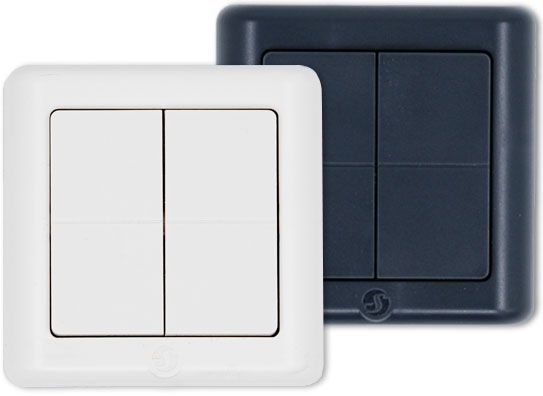
Device identification
-
Device name: Shelly BLU Wall Switch 4 ZB DK
-
Device model: SBBT-104CEU
-
Device Bluetooth ID: 0x0015
Short description
Shelly BLU Wall Switch 4 ZB DK (the Device) is a compact, battery-operated wireless switch designed to offer fast and reliable control of smart home devices through both Bluetooth Low Energy (BLE) and Zigbee 3.0. With four programmable buttons and multi-action support, it provides a highly flexible user interface for automation scenarios.
Ideal for flush mounting in Danish switch frames or as a standalone remote, the device requires no wiring and integrates seamlessly with Shelly ecosystems and third-party Zigbee hubs.
Main features
-
Dual protocol: Communicates over Bluetooth LE and Zigbee 3.0, enabling flexible integration
-
Powered by a CR2032 coin-cell battery with up to 2 years of typical use
-
4 programmable buttons: Support single, double, triple, and long presses – up to 16 unique actions
-
Fits in Danish popular wall switch frames
-
No wiring required: Mount it anywhere with adhesive or screws.
-
Strong encryption
Use cases
-
Lighting control: Assign the button to control specific lighting scenes or individual smart lights. For example, a single press could turn on/off the lights, while a long-term press could dim or brighten them.
-
Garage door opener: Use the strong encryption of Shelly BLU Wall Switch 4 ZB and control your smart garage door opener as you approach or leave your garage.
-
Smart blinds or curtains: Open or close motorized blinds or curtain at the touch of a button.
-
Location-based automation: Set the device in Beacon mode so that to trigger specific actions when you come within Bluetooth range. Use the Device for presence control, for example to keep lights on while you need to spend some time in a certain area.
-
Scene control: Use the 4 buttons to activate any scene or specific actions you can imagine. Each button supports single, double, triple and long push - which allows the user to make 16 different actions!
-
No wiring needed
Connectivity
-
Bluetooth
-
Zigbee
User interface
Inputs
-
Four push buttons
-
To enter Bluetooth pairing mode:
-
Press any of the buttons 4 times. The LED flashes once every two seconds and the Device enters Bluetooth pairing for one minute.
-
-
To enter Zigbee pairing mode:
-
Press any of the buttons 5 times. The LED flashes twice every two seconds and the Device enters Zigbee commissioning mode for one minute.
-
-
Press and hold any button for 30 sec to factory reset (possible only shortly after inserting the battery).
-
Specifications
|
Quantity |
Value |
|---|---|
|
Physical |
|
|
Size (HxWxD): |
63x63x11 mm / 2.48x2.48x0.43 in |
|
Weight: |
27 g / 0.96 oz |
|
Shell material: |
Plastic |
|
Shell color: |
Ivory / Gray |
|
Environmental |
|
|
Ambient working temperature: |
-20 °C to 40 °C / -5 °F to 105 °F |
|
Humidity: |
30% to 70% RH |
|
Electrical |
|
|
Power supply: |
1x 3 V battery (included) |
|
Battery type: |
CR2032 |
|
Estimated battery life: |
Up to 2 years |
|
Bluetooth |
|
|
Protocol: |
5 (LE) |
|
RF band: |
2402 - 2480 MHz |
|
Max. RF power: |
< 8 dBm |
|
Range: |
Up to 10 m / 33 ft indoors and 30 m / 100 ft outdoors
|
|
Zigbee |
|
|
Protocols: |
802.15.4 |
|
RF bands: |
2405 to 2480 MHz |
|
Max. RF power: |
< 8 dBm |
|
Range: |
Up to 10 m / 33 ft indoors and 30 m / 100 ft outdoors
|
|
Microcontroller unit |
|
|
CPU: |
EFR32MG27 |
|
Flash: |
768 kB |
|
Firmware capabilities |
|
|
Schedules: |
No |
|
Webhooks (URL actions): |
No |
|
Scripting: |
No |
|
MQTT: |
No |
|
Encryption: |
Yes |
|
Other |
|
|
Supported Devices |
|
Compliance and certification
Printed user guide